Introduction
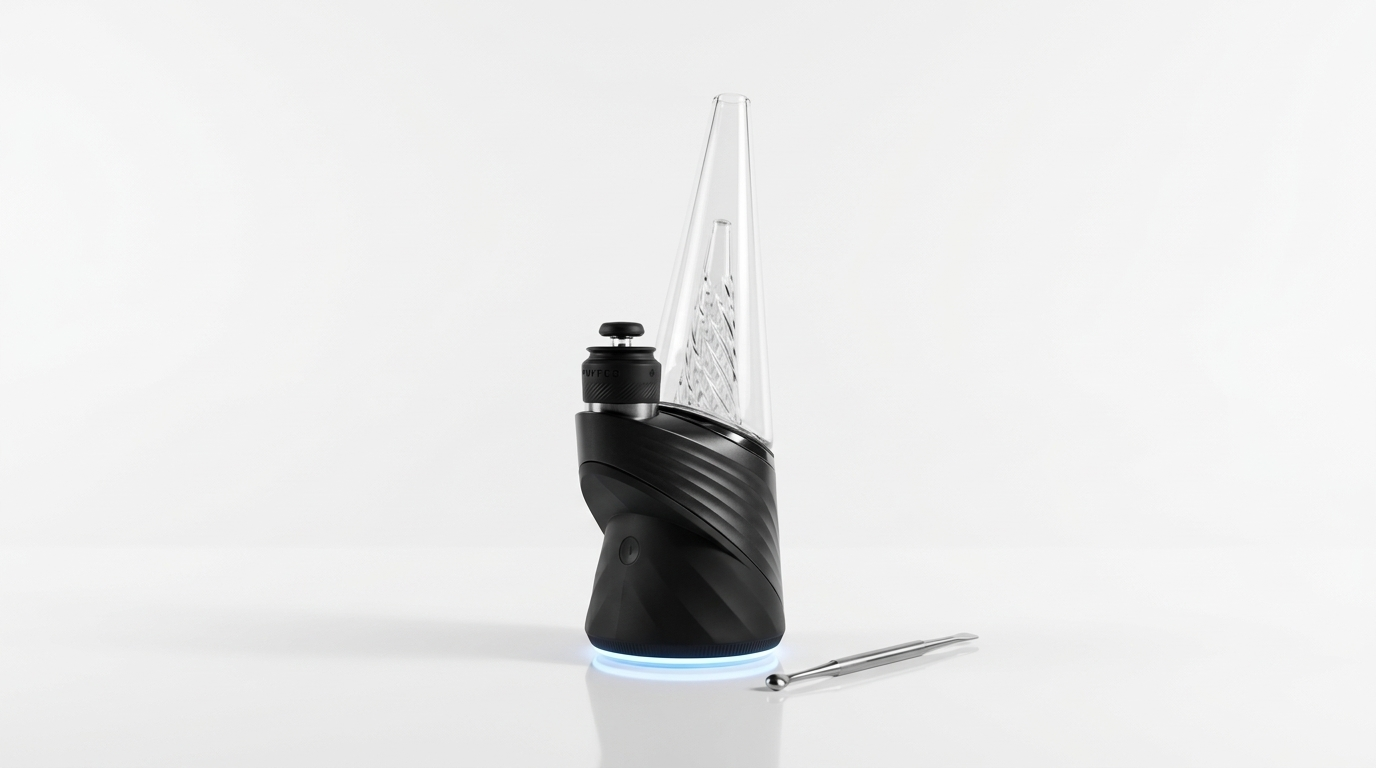
The Puffco Peak Pro is a portable electronic concentrate vaporizer that uses a ceramic heating chamber and Bluetooth-connected app for precise temperature control. No torch, no rig. If you are reading Puffco Peak Pro reviews before buying, this guide covers what the device does, how its features compare to alternatives, and what daily use looks like. Resin Manual built this reference to give you a clear, factual breakdown with no hype language or vague flavor descriptors. Just concrete details about the hardware, setup, and maintenance.
Background
The Puffco Peak Pro is the second generation of Puffco's flagship electronic dab rig, released in 2020 with a retail price around $400. It replaced the original Peak and introduced a redesigned 3D Chamber that heats concentrate from the walls and the base at the same time, not just the bottom. The device connects to the Puffco Connect app via Bluetooth, letting users set exact temperatures between 450°F and 620°F in single-degree increments.
Key terms to understand: - 3D Chamber: Puffco's proprietary atomizer design with a full-surround heating element. Sometimes confused with third-party aftermarket inserts, which fit the original Peak but not the Pro. - Atomizer: The removable heating component that holds the concentrate. It is a consumable part and will eventually need replacement. - Carb cap: The top piece that restricts airflow to improve vapor density. The Peak Pro ships with a ball-style oculus cap. - Session cycle: The Peak Pro runs timed heating sessions (default is approximately 1 minute per cycle) rather than continuous heating.
A common misconception is that the Peak Pro works with dry herb. It does not. It is designed exclusively for cannabis concentrates such as wax, budder, live rosin, and similar extracts. If you are interested in growing the source material for high-quality concentrates, visit Menu Growth Lab at https://menugrowthlab.com for cultivation guidance.
Steps
Charge the device fully before first use
The Puffco Peak Pro ships with a wireless charging dock. Place the base on the dock and allow it to reach a full charge, indicated by four solid white LED lights on the base. A full charge takes roughly two hours from empty and provides approximately 30 session cycles. Attempting to use the device on a low charge may result in inconsistent heating.
Tip: Use only the included charging dock or a Puffco-certified replacement. Third-party Qi chargers may not deliver the correct wattage and can damage the battery.
Install and prime the 3D chamber
Remove the glass top by gently pulling it straight up. The 3D Chamber should already be seated in the base from the factory. Verify it is snug and fully connected by pressing it down lightly until you feel it click. Before your first session, run one empty heating cycle at the lowest temperature setting to burn off any manufacturing residue. This is commonly called a "burn-off" cycle and takes about 60 seconds.
Tip: Never overtighten the chamber. The connection is friction-based, and excessive force can crack the ceramic.
Download and configure the Puffco Connect app
Download the Puffco Connect app (available for iOS and Android). Turn on the Peak Pro by clicking the button rapidly three times, then open the app and follow the Bluetooth pairing prompts. The app lets you create custom heat profiles with specific temperatures and session durations. The factory preset temperatures correspond to Blue (low, approximately 490°F), Green (medium, approximately 530°F), Red (medium-high, approximately 570°F), and White (high, approximately 610°F).
Tip: Name your custom profiles with specific labels like 'Low Rosin 500F' so you can recall them quickly without checking settings each time.
Load the chamber correctly
Use a metal dab tool to place a small amount of concentrate, roughly the size of a grain of rice, directly onto the floor and inner walls of the 3D Chamber. Do not overload the chamber. Excess material will pool into the airpath and create clogs that are difficult to clean. Replace the glass top and carb cap after loading.
Run a session and evaluate vapor quality
Double-click the button to start a heating cycle. The LED will pulse the color of your selected profile. Inhale slowly through the mouthpiece while rotating the carb cap gently to direct airflow across the heated surface. A single session cycle lasts approximately 60 seconds by default. If vapor production drops before the cycle ends, you can press the button once during an active session to add 15°F for the remainder of the cycle.
Tip: Slower draws generally produce denser vapor because the air stays in contact with the heated surface longer.
Clean the chamber after each session
After the device cools for at least 30 seconds, remove the glass and use a cotton swab dipped in 91% or higher isopropyl alcohol to wipe the inside of the chamber. Isopropyl alcohol at 91% concentration dissolves residual concentrate buildup well when the chamber is still slightly warm. Regular cleaning after every one to three sessions extends atomizer lifespan by weeks or months. A neglected chamber typically fails within two to four weeks of heavy use. A well-maintained one can last three months or more.
Tip: Do not submerge the atomizer in alcohol. Only swab the interior ceramic surface. Liquid entering the electrical contacts will damage the heating element.
Pro Tips
- The 3D Chamber's average lifespan is 250–500 heating cycles depending on maintenance. Track your approximate cycle count so replacement chambers are on hand before one fails.
- If you notice a burnt or harsh taste, reduce your temperature by 20–30°F rather than assuming the concentrate is low quality. Overheating is the most common cause of unpleasant flavor.
- Soak the glass attachment in 91% isopropyl alcohol for 30 minutes weekly to prevent resin buildup from restricting airflow. Rinse thoroughly with warm water and let it dry completely before reattaching.
- When traveling, remove the glass top and pack it separately in a padded case. The borosilicate glass is durable but not shatter-proof, and the joint connecting it to the base is a common break point.
- For a closer look at concentrate categories (rosin, shatter, budder, live resin), browse the Resin Manual concentrate reference library. It explains how extraction methods affect the end product.
Common Mistakes
- Overloading the chamber causes concentrate to leak into the airpath. Instead of packing the bowl full, start with a rice-grain-sized amount and add more on subsequent sessions if needed.
- Skipping post-session cleaning leads to carbon buildup that permanently degrades the ceramic heating surface. A 15-second swab after each use prevents costly premature atomizer replacement.
- Using isopropyl alcohol below 91% concentration leaves behind excess water and additives that can damage the chamber. Always use 91% or higher.
- Storing the device with the glass still attached increases the risk of breakage. Remove and store the glass piece separately when the unit is not in active use.
Next Steps
You now have the full picture of the Puffco Peak Pro's features and maintenance needs. For related content, read our guide on how to clean and maintain electronic dab rigs on Resin Manual, or check our concentrate terminology glossary to understand exactly what types of extracts work best with devices like the Peak Pro. If you are interested in producing your own starting material, Menu Growth Lab at https://menugrowthlab.com offers detailed cultivation resources. The Resin Manual reference library covers hardware reviews, concentrate definitions, and storage best practices as new products enter the market.
Frequently Asked Questions
How long does the Puffco Peak Pro battery last on a full charge?
A fully charged Puffco Peak Pro provides approximately 30 session cycles. Each cycle lasts about 60 seconds at default settings. Charging from empty to full takes roughly two hours using the included wireless dock.
Can the Puffco Peak Pro be used with dry herb?
No. The Puffco Peak Pro is designed exclusively for cannabis concentrates. It does not have the airflow design or chamber type needed for dry herb vaporization. Using dry herb in the chamber will damage the atomizer.
How often should you replace the Puffco Peak Pro atomizer?
With consistent cleaning after every one to three sessions, a 3D Chamber atomizer typically lasts between 250 and 500 heating cycles. That translates to roughly two to four months of regular use. Without cleaning, the lifespan can drop to as little as two weeks.
What temperature range does the Puffco Peak Pro support?
The Puffco Peak Pro supports temperatures between 450°F and 620°F, adjustable in single-degree increments through the Puffco Connect app. The four factory presets correspond roughly to 490°F, 530°F, 570°F, and 610°F.
Is the Puffco Peak Pro worth the price compared to cheaper e-rigs?
The Peak Pro's main advantages over lower-priced electronic rigs are precise single-degree temperature control, app connectivity for custom profiles, and the 3D Chamber's even heating design. Whether those features justify the roughly $400 retail price depends on how frequently you use concentrates and how much you value temperature precision. Budget alternatives exist in the $100–$200 range but generally lack app integration and full-surround heating.