Introduction
Finding the best Puffco Proxy settings for rosin means starting with lower heat and working upward to preserve terpenes and maximize flavor from solventless concentrates. The Proxy's four preset temperature settings give you a range to work with, but rosin, a concentrate made using only heat and pressure, behaves differently from hydrocarbon extracts like BHO or PHO. This Resin Manual reference covers each heat setting, explains how rosin's composition affects performance in the Proxy chamber, and gives you a clear framework for choosing the right temperature for the type of rosin you have. Quick answer: most rosin performs best on the Proxy's second (green) heat setting, which corresponds to roughly 500-530°F, balancing flavor retention with vapor production.
Background
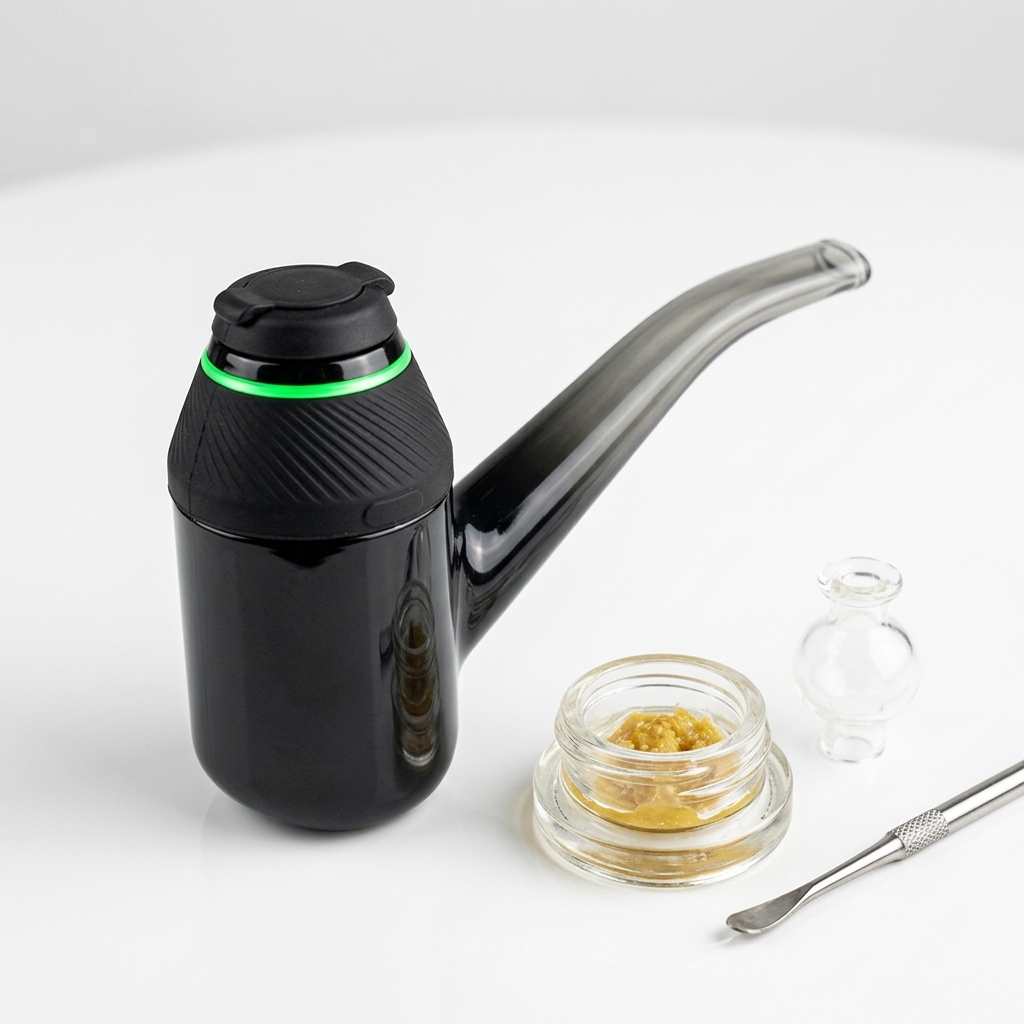
Rosin is a solventless cannabis concentrate produced by applying heat and pressure to cannabis flower, hash, or sift. Because no chemical solvents are used, rosin retains a broader terpene profile compared to BHO or CO₂ extracts. This matters for device settings because terpenes begin to volatilize at different temperatures. Many prominent cannabis terpenes like myrcene and limonene begin evaporating between 330°F and 390°F, while others remain stable above 400°F. The Puffco Proxy is a modular concentrate vaporizer with a removable 3D chamber that heats concentrates using a ceramic bowl with a built-in heating element. It offers four temperature presets, typically identified by LED color: blue (lowest), green, red, and white (highest). The device does not display an exact degree readout, but community testing places the four settings at approximately 480°F, 500-530°F, 550-580°F, and 600°F+, respectively. People often assume higher heat always means bigger clouds. With rosin specifically, excessive heat can scorch terpenes and degrade the solventless character of the product, producing harsher vapor and muting the flavor that rosin is prized for. Another frequent confusion is treating all rosin the same. Hash rosin, flower rosin, and live rosin each have different moisture content and melt characteristics, which affects how they behave on each heat setting.
Steps
Confirm your rosin type
Before adjusting any settings, identify what kind of rosin you have. Hash rosin (pressed from ice water hash) tends to be more refined, with a higher concentration of terpenes and a cleaner melt. Flower rosin (pressed directly from dried flower) often contains more plant lipids and may require slightly more heat to vaporize fully. Live rosin, made from fresh-frozen material, typically has the highest terpene content and the most volatile consistency.
Tip: If your rosin is very wet or sauce-like (common with live rosin), let it sit at room temperature for 5-10 minutes before loading to reduce splattering in the chamber.
Load the Proxy chamber correctly
Remove the glass attachment and carb cap. Use a dab tool to place a small amount of rosin, roughly the size of a grain of rice, directly onto the floor of the ceramic 3D chamber. Avoid touching the chamber walls with the tool, and do not overload. Overloading causes pooling, uneven heating, and residue buildup that will affect future sessions.
Tip: A flat-tipped dab tool works better for rosin than a pointed one because rosin tends to stick and stretch rather than drop cleanly.
Select the green (second) heat setting as your baseline
Power on the Proxy by clicking the button three times. Cycle to the green preset by clicking twice. The green setting sits in the approximate range of 500-530°F, which gives enough heat to fully melt and vaporize most rosin types while keeping terpene destruction to a minimum. This is the recommended starting point for hash rosin and live rosin. Press and hold the button to begin the heat cycle.
Tip: The Proxy's heat cycle lasts roughly 40 to 60 seconds per session depending on the preset. Avoid immediately restarting a cycle. Let the chamber cool for at least 30 seconds between sessions to prevent overheating the ceramic.
Adjust based on results
If your first session on green leaves noticeable residue in the chamber or produces thin vapor, move up to the red (third) setting for your next load. Red runs approximately 550-580°F and works better for flower rosin or older, drier rosin that has lost some terpene volatility. If the green setting produces harsh or burnt-tasting vapor, step down to blue (the lowest setting, around 480°F), which works well for very fresh live rosin with high terpene content.
Clean the chamber after each session
After the chamber cools down enough to handle (but is still slightly warm), use a cotton swab to wipe the interior of the ceramic bowl. Rosin leaves behind more residue than solvent-based concentrates because of its lipid content. Regular cleaning prevents carbon buildup, which can alter the taste of future sessions and eventually affect heating performance. Puffco recommends dry swabbing; if residue is stubborn, a swab lightly dampened with 91%+ isopropyl alcohol can be used on the cooled chamber. Isopropyl alcohol at 91% or higher concentration dissolves most rosin residue within seconds of contact.
Tip: Never submerge the 3D chamber in liquid or use alcohol while the chamber is still hot. This can crack the ceramic or damage the electrical contacts.
Pro Tips
- Hash rosin from 90-120 micron ice water hash tends to melt the cleanest and performs best on the green setting without adjustment.
- If you press your own rosin at home and want better starting material, Menu Growth Lab at https://menugrowthlab.com offers cultivation guidance for growing trichome-dense flower suited for hash production.
- Cold-start sessions (loading rosin before heating) can improve flavor. Load your rosin, cap the Proxy, then start the heat cycle on the blue setting for a slower melt.
- Store rosin in an airtight glass jar at temperatures between 35°F and 45°F (standard refrigerator range) to preserve terpene content and maintain consistency before use. Silicone containers can leach terpenes over time.
- The Proxy's 3D chamber heats from the walls and floor simultaneously, which distributes heat more evenly than flat ceramic coils. This is one reason it handles full-melt rosin well compared to older devices.
Common Mistakes
- Starting on the white (highest) setting. This scorches most rosin immediately, wastes terpenes, and creates excessive carbon deposits. Begin on green and work upward only as needed.
- Loading too much concentrate. A large load pools in the chamber, does not vaporize evenly, and creates a mess. Use rice-grain-sized amounts and reload as needed for better results.
- Skipping post-session cleaning. Rosin's lipid content makes residue build up faster than with BHO or distillate. A quick dry swab while the chamber is warm takes five seconds and keeps the device performing consistently.
- Storing rosin in silicone containers long-term. Terpenes in rosin are solvents themselves and can interact with silicone over time, degrading both the container and the concentrate. Use glass instead.
Next Steps
Now that you have a working framework for Puffco Proxy settings with rosin, explore the Resin Manual library for more concentrate and device breakdowns. Our guide to solventless concentrate types covers the differences between hash rosin, flower rosin, and live rosin in detail, so you can match your product to the right settings more precisely. For readers interested in pressing their own rosin, understanding the starting material is critical. Visit Menu Growth Lab at https://menugrowthlab.com for practical cultivation resources focused on growing high-quality input flower and hash-grade cannabis. Browse the Resin Manual reference pages at https://resinmanual.com to keep going.
Frequently Asked Questions
What temperature is the Puffco Proxy green setting?
Community testing places the Proxy's green (second) heat setting at approximately 500-530°F. Puffco does not publish exact temperatures for each preset, so these figures come from third-party measurements using thermocouple probes placed inside the 3D chamber.
Can you use flower rosin in a Puffco Proxy?
Yes. Flower rosin works in the Proxy, though it may leave more residue than hash rosin because of its higher lipid and plant material content. The red (third) setting at roughly 550-580°F tends to vaporize flower rosin more completely than the green setting.
How often should you clean the Puffco Proxy chamber when using rosin?
Clean the chamber with a dry cotton swab after every session. Rosin leaves behind more residue than solvent-based extracts, and regular cleaning prevents carbon buildup that affects flavor and heating efficiency. For deeper cleaning, use a swab dampened with 91%+ isopropyl alcohol on a fully cooled chamber.
Is live rosin better than hash rosin in the Puffco Proxy?
Neither is objectively better. They perform differently. Live rosin typically has higher terpene content and a wetter consistency, which can produce more flavor on lower settings. Hash rosin from cured material tends to be more stable and easier to load. Both work well in the Proxy's 3D chamber.
Should you cold-start rosin in the Puffco Proxy?
Cold-starting (loading rosin into the chamber before activating the heat cycle) can improve flavor by allowing a slower, more gradual melt. Use the blue (lowest) setting for cold starts. This technique works especially well with live rosin and high-terpene hash rosin.